Solitaire 3D: Card Kingdom
Restore the kingdom, Ace to King.
Solitaire 3D: Card Kingdom
Classic Klondike solitaire in a 3D royal card hall: drag and drop, draw 1 or draw 3, undo, hints, auto-finish, table themes and your stats on this device.
About the Game
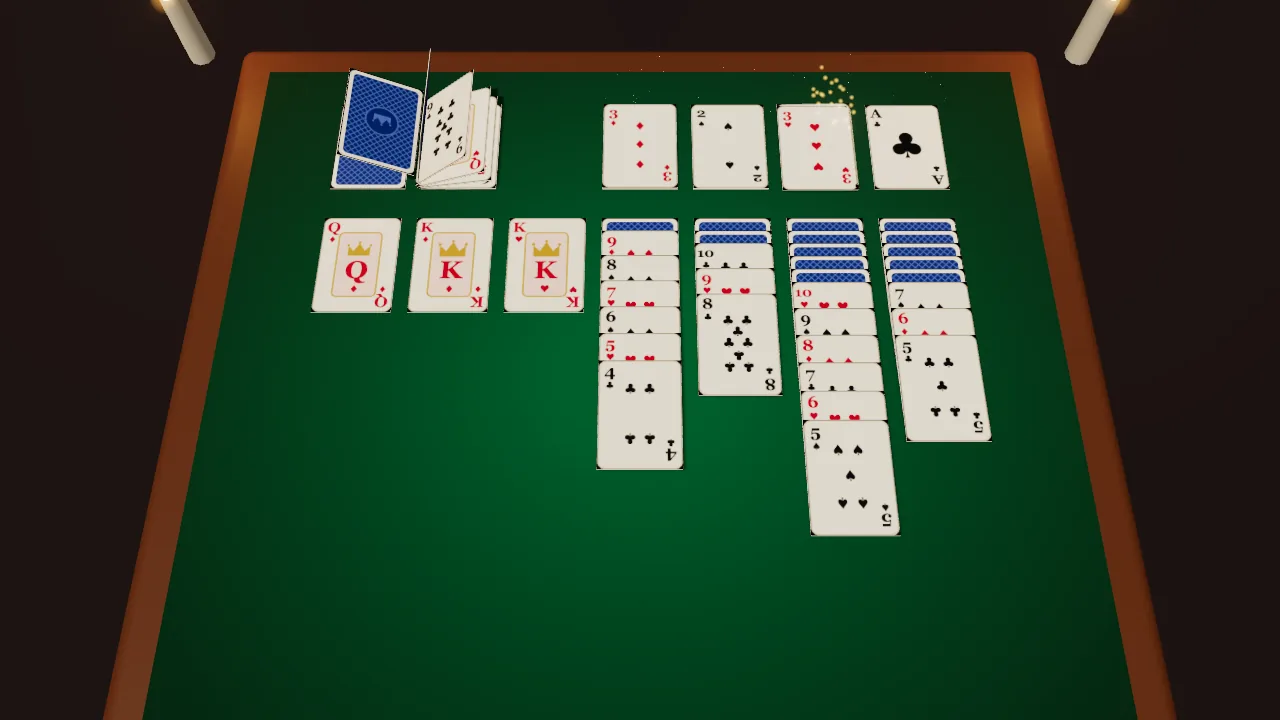
Solitaire 3D: Card Kingdom is classic Klondike solitaire on a 3D card table in a castle hall. Build the four foundations from Ace to King by suit, stack the tableau downwards in alternating colours, turn over the hidden cards, and draw from the stock when you run out of moves. Only a King may fill an empty column. Drag single cards or whole runs between columns and onto the foundations, or tap a card to move it to the best legal place. Play Draw 1, the harder Draw 3, or the Daily deal. Scoring follows the classic standard rules: +5 for a card from the waste to the tableau, +10 to a foundation, +5 for each card you turn over, −15 for taking a card back from a foundation, and a penalty for recycling the waste, with a time bonus when you win. Undo takes back your moves one at a time, hints suggest a useful move, and when every card is face up a Finish button sends them all home. Choose a table theme — Royal Green, Crimson Court, Midnight Keep or Golden Hall — each with its own card back. Games played, wins, streaks and your fastest win are kept on this device. Deals are random and never rigged, so not every Klondike deal can be won.
How to Play
Choose Draw 1, Draw 3 or the Daily deal and press Play. Move cards onto a tableau column when they are one rank lower and the opposite colour, for example a red 9 on a black 10. Drag a face-up run to move it together. Move Aces to the foundations, then build each foundation up by suit to the King. Only a King can go into an empty column. Click the stock to turn cards over; when it is empty, click it again to recycle the waste. Click a card to send it to the best place automatically. Use Undo and Hint whenever you like; when all cards are face up, press Finish.
Controls
- DragMove a card or a run
- Click a cardMove it to the best legal place
- Click the stockTurn cards · Space — Draw
- ZUndo · H — Hint · A — Auto-finish
- Touch: drag cards, tap to auto-move, tap the stock to drawTouch: drag cards, tap to auto-move, tap the stock to draw
- P / EscPause
Features
- Correct Klondike rules with Draw 1, Draw 3 and a Daily deal
- Drag and drop of single cards and runs, plus tap to auto-move
- Multi-step undo, hints and auto-finish
- Classic standard scoring with a time bonus
- Four table themes with their own card backs
- Games, wins, streaks and fastest win kept on your device
Gameplay Tips
- Turn over hidden cards in the longest columns first.
- Do not empty a column unless you have a King ready for it.
- Move cards to the foundations early, but keep low cards that you still need to build on.
- In Draw 3, think about which cards the next pass will show.
FAQ
What is Solitaire 3D: Card Kingdom?
A free Klondike solitaire game on ZOQSY played on a 3D card table, with drag and drop, undo, hints and table themes.
Can every game be won?
No. Klondike deals are random, and some cannot be won. The game never rigs a deal either way.
What is the difference between Draw 1 and Draw 3?
Draw 1 turns one card from the stock at a time. Draw 3 turns three, and only the top one can be played, which makes it harder.
How is the score calculated?
Classic standard scoring: +5 waste to tableau, +10 to a foundation, +5 for each card turned over, −15 for a card taken back from a foundation, a penalty for recycling the waste, and a time bonus for a win.
Where are my statistics stored?
In your browser on this device: games played, wins, current and best streak, and your fastest win, per mode.